


Use APKPure App
Get ADB old version APK for Android
ADB is a developer toolbox app that lets you control Android devices over USB or Wi‑Fi.
Android Debug Bridge (ADB) brings essential device management into a clear, mobile interface. It focuses on installing and debugging apps, running shell commands, handling files, and connecting wirelessly when needed. Moreover, ADB adds everyday tools such as screenshots, logs, and a TV remote controller to support developers, QA teams, and power users. It works across many Android versions and provides a stable workflow for both cable and wireless use. Therefore, you can move between app testing, package management, and device insight without switching tools.
App management controls
ADB helps you install and uninstall APKs, launch apps, force stop, and clear data. It also lets you enable or disable packages and view running apps for quick checks. Therefore, everyday app testing and cleanup become faster and more consistent.
Wireless ADB pairing
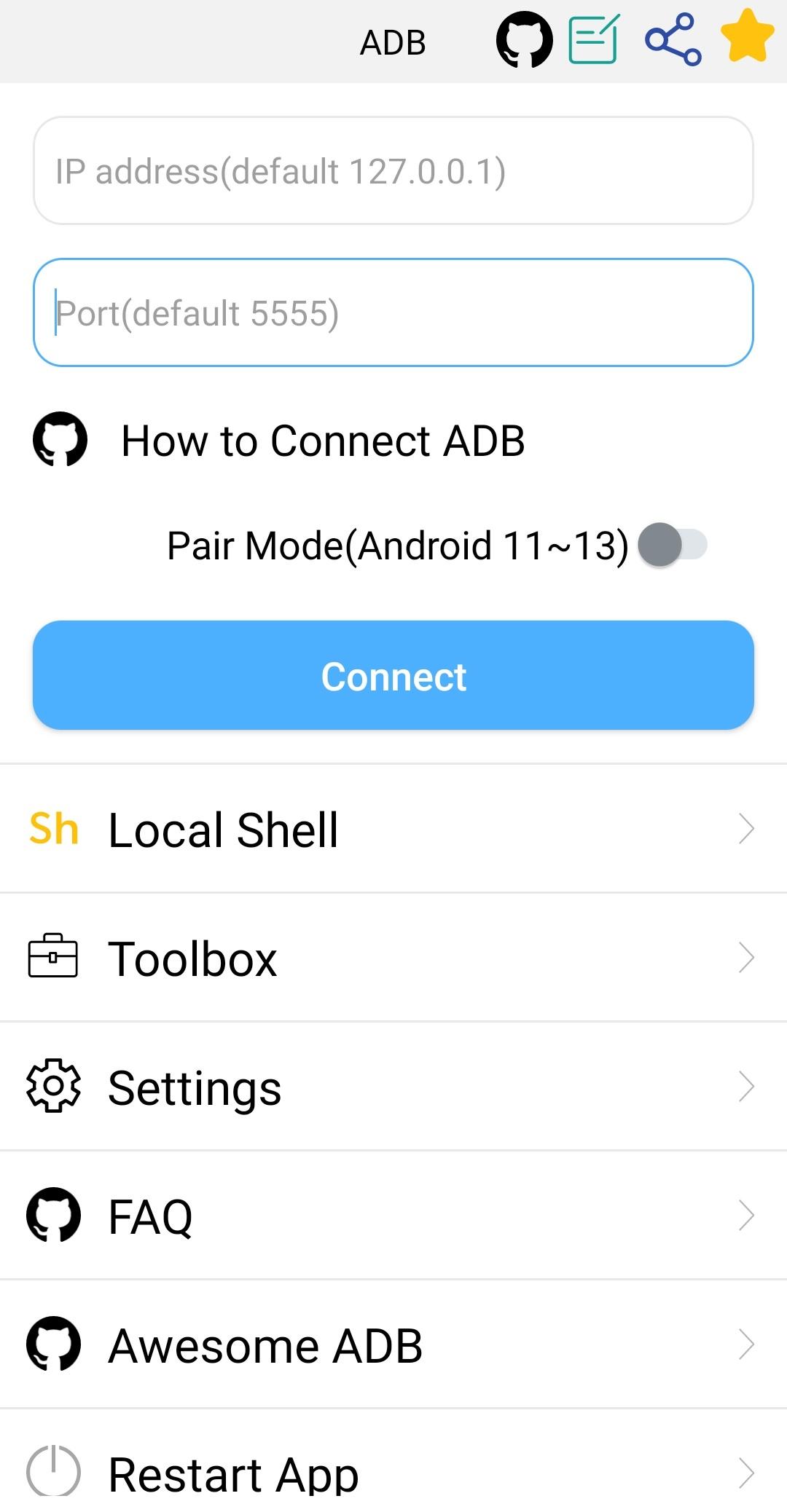
You can connect over Wi‑Fi and use pairing on Android 11 to 13 to remove cables from your workflow. This keeps deployment and debugging flexible on shared test benches. In addition, it is easy to switch back to USB when networks are limited.
File transfer and preview
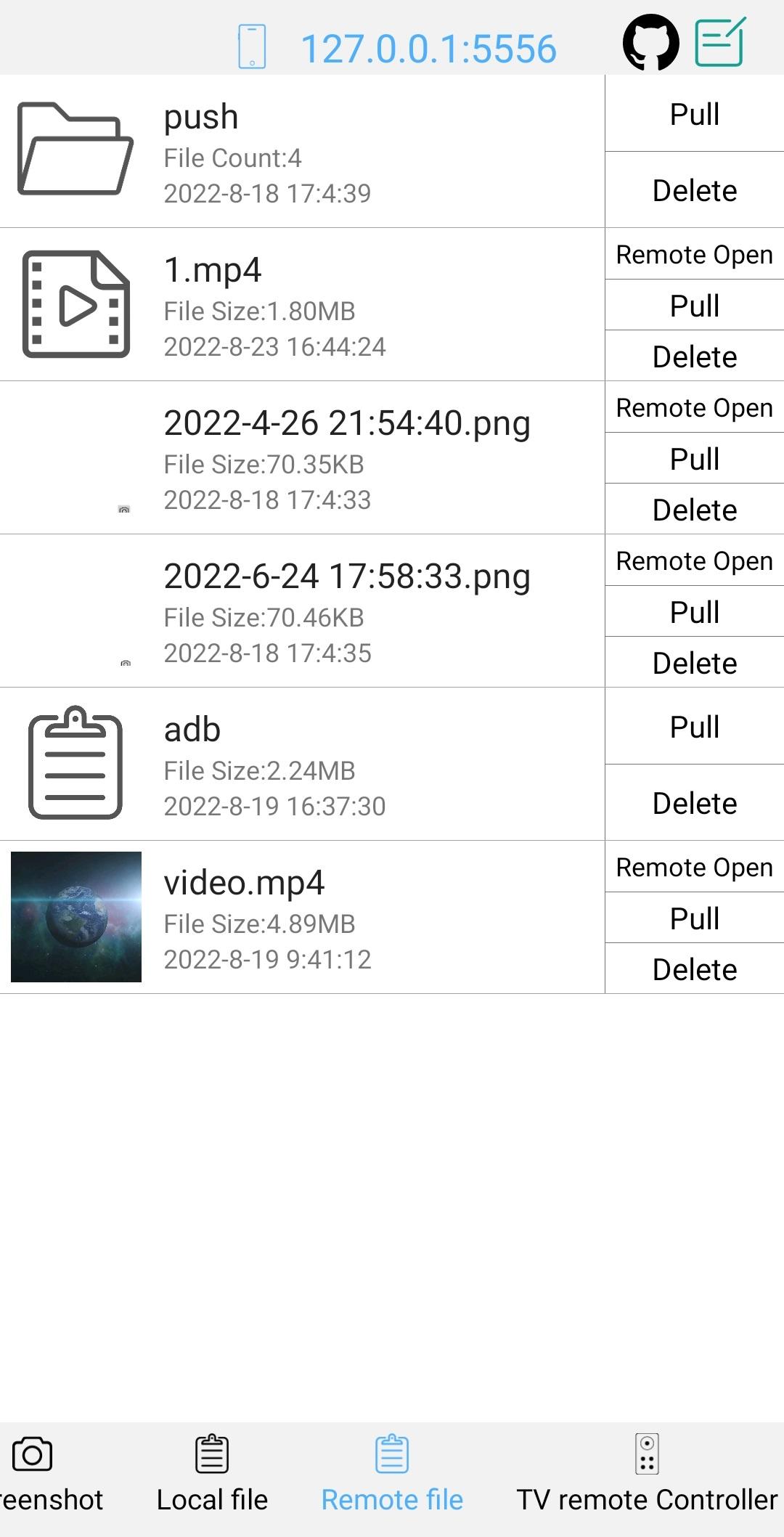
Push and pull files or folders to move builds, logs, and media. In ADB, you can open remote images, audio, and video directly for quick verification. To keep devices clean, you can select remote files to delete.
Shell and logging workspace
The interactive shell includes history, color text, and output autosave or share options. ADB also provides logcat, prefab commands, and multi‑window to keep commands organized. Therefore, you can capture issues and repeat reliable steps during debugging.
Device insight and screenshots
Check system properties and monitor activity to understand device state at a glance. You can take screenshots to document issues or verify UI changes. In addition, background operation lets ADB continue tasks while you switch apps.
Android TV utilities
ADB includes a TV remote controller with text input for TV devices. This supports navigation and quick typing without a physical remote. Therefore, setup and testing on TV platforms become more direct.
Disabling a package hides it and stops it from running, while uninstalling removes it for a user. You can later restore a disabled or uninstalled package if the base app remains available. In addition, per‑user actions affect only the selected user profile on the device.
For Windows, install Universal ADB Drivers to improve device recognition and reduce connection issues. If you used ADB AppControl on a desktop, you will find similar package operations here on mobile. Moreover, when a desktop is not available, WebADB can serve as a simple browser alternative to run basic tasks.
On Android 11 to 13, use QR code or pairing code for quick Wi‑Fi debugging. If discovery fails, check that both devices are on the same network and that mDNS is allowed by the router. In office environments, corporate Wi‑Fi may block discovery, so use USB or a trusted hotspot when needed.
Follow this short guide to connect and run core tasks safely. Start with USB to confirm trust, then switch to Wi‑Fi for cable‑free workflows when available.
Enable Developer options on the device, then turn on USB debugging. Open ADB and connect the device with a USB cable.
Accept the RSA key prompt on the device. Back in ADB, verify the connection by checking that the device appears under devices or by confirming "adb devices."
After that, set up Wi‑Fi debugging. On Android 11 to 13, pair by QR or pairing code in Developer options. On Android 10 or lower, enable tcpip on port 5555, then connect to the device IP.
Use ADB to install or uninstall APKs, clear data, force stop, and launch activities. You can also push or pull files, capture screenshots, and record logs for issue tracking.
Then, troubleshoot Wi‑Fi if needed. So, confirm both devices share the same network, allow mDNS, and check firewall rules. If the network blocks discovery, return to USB or a private hotspot.
ADB APK focuses on clear device control, fast wireless workflows, and practical shell tools. Download ADB APK latest version on APKPure to keep your testing and maintenance moving.
Official information
Website: https://github.com/jarhot1992/Remote-ADB
Email: [email protected]
Last updated on Jan 28, 2026
1. Bug Fixes
Fixed several known issues to improve stability and reliability.
2. UI Improvements
Enhanced UI visuals for a smoother and more consistent experience.
3. Text & Copy Optimization
Improved some in-app text for better clarity and readability.
Latest Version
 4.0.26
Uploaded by
ColorBox Technology
Requires Android
Android 7.0+
Available on

Category
Report





Discover what you want easier, faster and safer.

ADB
Shell - Debug Toolbox4.0.26 by ColorBox Technology
Jan 28, 2026